Packing Lunch Routine for Kids: A Parent Playbook
A packing lunch routine is five pictures at the counter — main, fruit, snack, drink, zip — not a morning hunt. How to build one and when digital wins.
If your seven-year-old treats “pack your lunch” as optional weather at the counter, the sentence is not broken. The child cannot see what comes next from where they are standing.
A packing lunch routine is five pictures of what goes in, into the pockets that already exist: main, fruit, snack, drink, zip. That is the whole product. Parents reach for it after the hundredth naming session at the door — and then print a thirty-day star grid that only the adult can decode.
This guide covers what a packing lunch routine actually is, how it differs from a packing backpack routine or a school morning routine, when to pack the night before, how to build a picture sequence that gets used at the counter, the hunts that look like defiance, and when to stop laminating and put the same pictures inside a visual routine.
This is parenting information, not nutrition advice. A child who cannot eat the school lunch due to allergies, feeding difficulties, or a medical condition that restricts food textures — those are clinician questions. A chart cannot fix an allergy, a tube, or a swallowing evaluation.
What Is a Packing Lunch Routine for Kids?
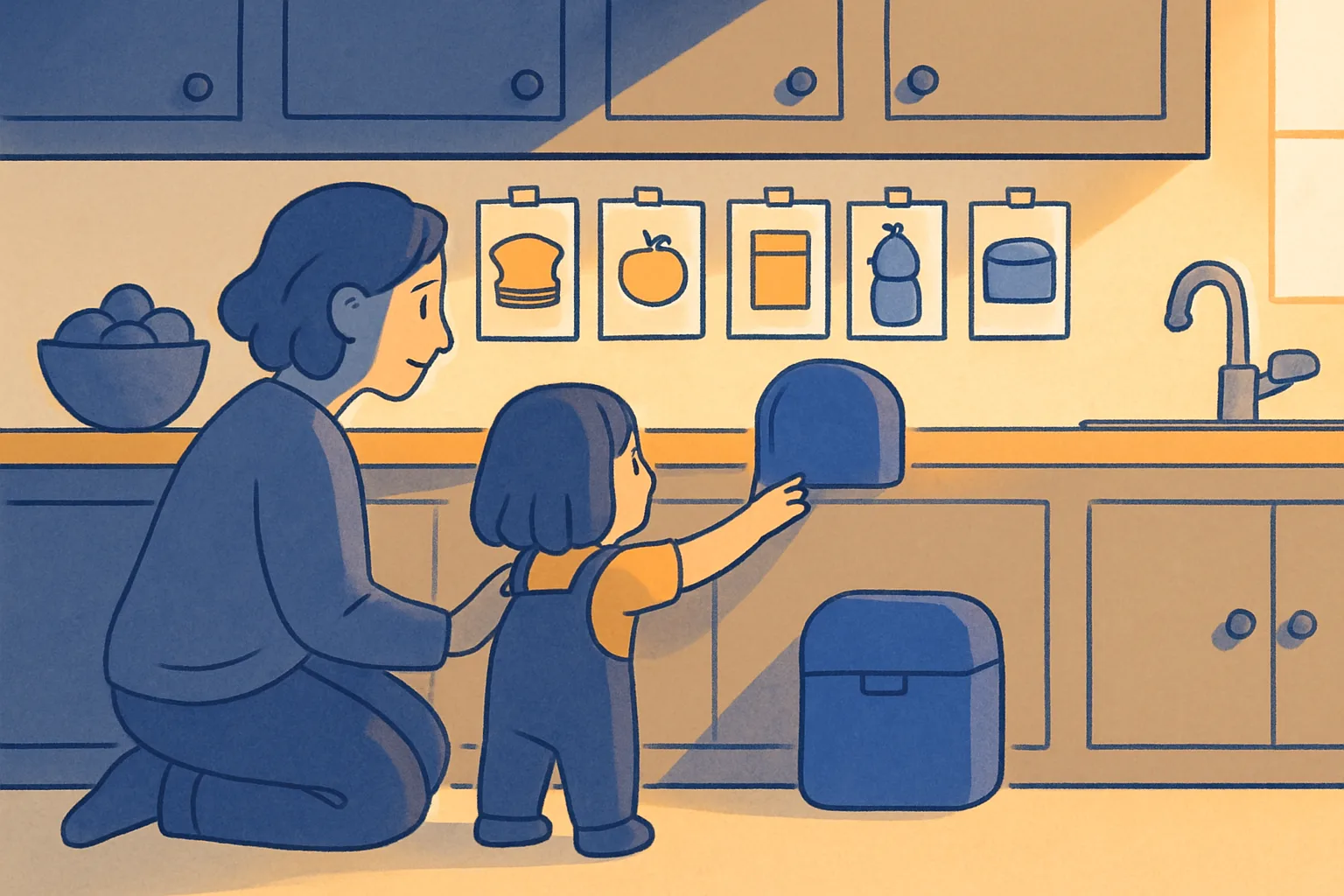
A packing lunch routine is a short picture sequence that lives with the lunchbox. Each picture is one item the child can pick up and place with their own hands. A parent stands nearby. The child looks, puts that one thing in, and sees the next picture.
Main. Fruit. Snack. Drink. Zip.
That is not a packing backpack routine for kids. Homework, lunch, water, folder, zip is the backpack. Main, fruit, snack, drink, zip is the lunchbox that goes inside it. Same counter. Different job. The lunchbox sequence runs first — when it is closed and in the bag, the backpack pictures start.
It is not a school morning routine for kids. Wake, bathroom, dress, breakfast, bag, and shoes are the morning’s skeleton. Packing the lunchbox is one bone you drop into that skeleton — and the bone that bites hardest when it is missing at 7:45 a.m.
It is not an after school routine. Unpack, snack, desk, play is the afternoon. The lunchbox comes home in the afternoon. Rinsing it belongs in the afternoon sequence, not the morning packing sequence. Do not invent a third poster that says “do lunch stuff.”
It is also not a morning routine checklist. A checklist is the whole morning — wake, bathroom, dress, eat, pack, shoes. Packing the lunch is one line on that checklist. When that line says “pack lunch,” it should point the child to five pictures at the lunchbox, not ask them to derive a grocery store from a sentence.
What a packing lunch routine is not
It is not a sticker grid. If the page is thirty empty boxes and a cartoon sandwich, you printed a reward chart and hung it above the fridge. The child cannot see what to put in. They can see that they have not earned Friday.
It is not a behavior chart. Hitting a sibling is a different problem. A missing water bottle is not a personality score.
It is not a social story. A story is a first-person close-up of one hard moment — a new food, a lunchbox that spills, the first day packing at a second house. A routine is the sequence you run every school morning. Many families need both: the story rehearses a new food or a broken lid, then the five pictures run the ordinary session.
It is not a chore. Taking out the trash is household help. Packing a lunchbox is a body-and-object skill. Putting “pack lunch” on the same list as “sweep the kitchen” invites the child to refuse it like laundry.
It is not a diagnosis and it is not a deadline. Typical kids, autistic kids, and ADHD kids all use the same five pictures. The pictures do not decide who the child is.
Why “Pack Your Lunch” Fails at the Counter
Adults treat a reminder as information. Children treat a reminder as weather unless it is a picture they can act on from where they are standing.
They cannot see the job. “Pack your lunch” is a kitchen-sized cloud. A six-year-old can put the yellow apple in the fruit slot. They cannot “assemble a nutritionally complete and allergen-aware mid-day meal in reusable containers.” If your chart says pack lunch, you asked for an identity, not an action.
The chart is in the wrong room. A fridge chart is relevant when the job is in the fridge. A door checklist is relevant at the door. Neither is useful from the lunchbox on the counter. The pictures have to live at the lunchbox, or travel with it to school for the return pack.
The hunt eats the clock. Crackers still in the pantry, the thermos still in the drying rack, the ice pack still in the freezer door, the permission slip sitting next to the banana — that is four rooms before 7:15 a.m. Lay the non-fridge items on the counter the night before. The pictures then mean “put this in,” not “locate all ingredients and assemble.”
Working memory is two items, maybe three. “The sandwich goes in the main compartment, then the apple in the fruit slot, then the crackers in the side pocket, then the water bottle in the mesh, wait did you get a napkin, and the ice pack is on the shelf in the freezer” is a paragraph. A six-year-old holds the walk to the bus. A picture strip holds the rest of the sentence on the counter.
The prize is too far away. A gold star for Friday’s pizza is a month in kid time. They will bargain, then melt down, then ignore the grid. A useful mark, if you use one at all, happens on the zip picture this morning.
You narrate instead of pointing. “Did you pack your lunch?” is a quiz. Pointing at the next picture is information. Kids resist quizzes. They will often follow a picture, especially if the same picture has meant the same slot for a week.
The lid is a two-handed job. A snap lid, a threading thermos, a slippery ice pack sleeve, and a zipper that requires adult grip strength are motor events. The child is not being difficult. They are trying to close a tool designed for an adult. A sticker cannot fix that. Two hands and a story about the stubborn lid can.
A useful rule: if you have to name every item every morning, it is not a packing routine.
Readiness and Age — Not a Birthday Party
The question is not “old enough.” It is “can this body do this specific action with the specific container in this house?”
Two-year-olds. They can put a pre-wrapped cracker packet into the bag you hold. They cannot choose. They cannot stack. They can drop one pre-selected object into one opening. That is the ceiling.
Three-to-four-year-olds. They can run two or three pictures if the items are already out: pre-sliced apple into the slot, pre-poured crackers into the cup, close the lid you started. They cannot thread a thermos, choose a snack from the pantry, or operate a vacuum-seal container. Do not hand them those tools and then score the result.
Five-to-six-year-olds. They can run four of the five pictures while you load the ice pack. The fifth picture — zip — still needs a parent check. Independence at this age means: they do the sequence, you do the lid audit.
Seven-to-nine-year-olds. They can run all five pictures and close the lid. They still forget if the sequence is not in front of them. This is not defiance. This is a normal working memory size for a seven-year-old.
Ten-plus. They can pack the entire box, choose items within a defined boundary (“any fruit from the bowl, any snack from the basket”), and put it in the bag. They still run the five pictures. The pictures are not a baby check. They are a precision tool that works regardless of age.
Lunchbox type matters more than age. A three-compartment bento with snap lids is harder than a flat bag with a zipper. A thermos requires threading torque that many eight-year-olds do not have. A vacuum-seal container requires two-hand grip and a sharp press. Choose the container for the child’s current hands, not for the lunch you wish they would eat.
The Five-Picture Sequence
Five pictures. Not four. Not seven.
1. Main. The sandwich, the pasta container, the rice bowl, the quesadilla — whatever is in the biggest compartment. One picture, one item, one slot. The picture does not say “sandwich.” It shows a container in a pocket. Same pocket every day.
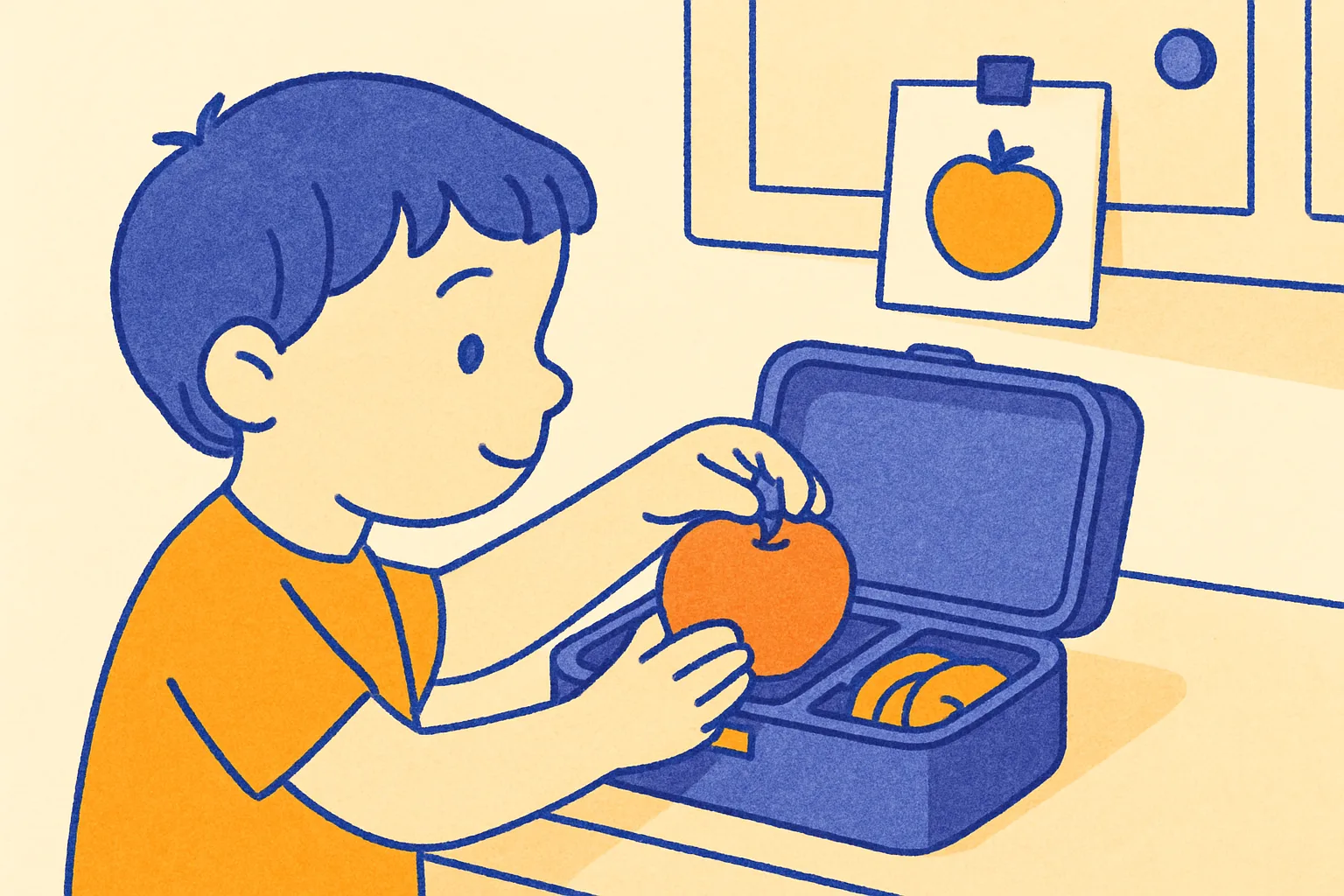
2. Fruit or vegetable. The apple, the grapes, the carrots, the cucumber slices — whatever goes in the second compartment. Pre-washed, pre-cut if needed, already out on the counter the night before. The picture shows a piece of fruit going into a slot. The child does not have to identify it. They put it in.
3. Snack. The crackers, the granola bar, the pretzels, the trail mix — whatever is already in the bag or the pre-poured cup. One picture, one packet, one pocket. Do not put the pantry decision in this picture. The decision happened last night.
4. Drink. The water bottle, the juice box, the carton — already filled or pre-selected. The picture shows a bottle going into the mesh side pocket or the front slot. Same bottle, same pocket, every school day.
5. Zip. Close the lunchbox. Two hands. One sound. Done. A visual timer on this step is useful if the zip is slow or the child wanders before closing. A 30-second countdown on the zip picture is enough for most ages.
That is the whole sequence. A thermos, a fork, a napkin, and an ice pack belong in the lunchbox or in the backpack, not in the five-picture sequence. Once the five pictures are done, the lunchbox goes into the backpack. Do not add a sixth picture for every accessory.
Night Before vs. Morning — Where the Routine Actually Lives
Most packing failures happen because parents split the job between two time slots without writing it down.
The night-before half.
After dinner — or during homework routine wind-down — lay out everything that does not need the fridge: the main (if it is a wrap or crackers), the snack bag, the napkin, the fork, and the lunchbox open on the counter. Put the five picture cards up. Run the dry items through the sequence with the child.
Why night? Because “where is the granola bar” is a solvable problem at 8 p.m. It is not a solvable problem at 7:22 a.m. when the bus is in ten minutes. Night-before prep converts a morning argument into a six-second lid-close.
The morning half.
One picture, one action: put the cold items in. The fruit that was cut last night goes in the fruit slot. The ice pack goes in. The lid closes. This is the fifth picture, not a second routine.
Do not run all five pictures every morning if four of them already happened at night. Point to the step that remains — fruit, ice pack, zip — and nothing else.
At a second house. If the child spends time in two households, the five pictures have to travel. A digital sequence that lives in an app runs the same at both counters. A laminated card taped to the lunchbox travels with the box. The sequence is portable. The decision has to happen at each house: what is in the fridge, what snacks are in stock, what bag is available.
A first-then board can anchor this at a second house: first lunch, then we go. The board does not show all five steps. It shows the anchor — the thing that must happen before the door opens. The five pictures show what “lunch” means. Both tools are doing different jobs.
Sensory and Food Issues at the Counter
If the fight happens at the lunchbox and not at every other task, it is probably not a routine problem. It is probably a food or motor problem that is using the routine as its exit.
Food texture aversion. If the child cannot pack a food they cannot touch, this is a sensory issue. Do not put the item on the five-picture sequence. Do not ask the child to handle it. Pair with an OT or a feeding specialist if textures are broadly limiting. A chart cannot fix a sensory system.
Tight lids and stiff zippers. These are motor issues. Pre-start the lid. Pre-open the zipper to the last two inches. Give two-hand demos weekly. Write a social story for the moment the lid does not cooperate (“when the lid is stuck, I use two hands and press the corner”). A picture sequence cannot fix a grip that is not there yet.
Choosing anxiety. Some children freeze at “pick a snack.” The routine removes this by placing the pre-chosen snack on the counter the night before. The child does not choose in the morning. They execute a sequence. The choosing happened at a calmer hour with a narrower field: “crackers or pretzels tonight?”
New foods. A child who refuses to pack a food they have never eaten is not misbehaving. They are applying the same avoidance rule they apply at the table. Do not use the lunchbox routine to introduce new foods. The new food has a different sequence — table, one exposure, no pressure, long runway. The lunchbox routine is a precision tool. Do not load new problems into it.
Spills and leaks. A container that leaks is a lunchbox problem, not a child problem. A child who has had a cold, wet, leaking lunchbox in their bag has learned the bag is an unpredictable environment. Change the container. Write a social story for the day the lid leaks anyway. The routine itself is not broken.
What ADHD and Autism Look Like at the Lunchbox
ADHD kids often have the food in hand and then put it down, get distracted by a sound or a sibling, and reappear at the door with the lunchbox open and the fruit still on the counter. This is not refusing. This is losing the sequence mid-step. Keep the task small: five pictures, five items, five actions, done. A visual countdown timer on the zip picture — 30 seconds, maximum — anchors the exit. Remove stimuli from the counter that are not the five items. The sequence cannot compete with a dog, a sibling, and a cartoon.
Autistic kids often have very specific rules about what goes in which slot, and a broken rule can stall the entire sequence. If Tuesday’s slot always has crackers and today there are no crackers, the sequence stops there. This is not rigidity as a personality trait. This is a system encountering an unexpected input. The fix is a social story for the substitution: “sometimes the cracker slot has a granola bar and that is the same slot.” Write the story before you run out of crackers. Run the new item beside the picture for two weeks before removing the old item from the story.
Both groups benefit from the same five-picture sequence. The pictures reduce the decisions to zero in the moment. The decisions happen at night, at a calmer hour, with an adult. The morning sequence is pure execution.
Building the Routine From Scratch
Step 1: Choose the sequence. Main, fruit, snack, drink, zip. This order matches most lunchboxes — biggest compartment first, liquids last, zip is the final action. Do not rearrange for variety. The predictability is the tool.
Step 2: Assign a picture to each step. The simplest picture is an unlabeled drawing or photo of the actual item going into the actual slot. Not a generic cartoon sandwich. The yellow lunchbox, the red apple, the green fruit slot. Recognition beats reading at every age this guide covers.
Step 3: Put the pictures where the action happens. Tape them above the counter where the lunchbox sits. Not on the fridge. Not on the door. The counter is where the pictures get used.
Step 4: Run it together for one week. Stand next to the child. Point to the next picture after each step. Do not narrate. Do not quiz. Point and wait. Add a visual timer to the zip step if the exit stalls.
Step 5: Fade out. After one week, step one pace back. After two weeks, step to the doorway. After three weeks, ask “did you zip?” at the door — not during the sequence. This is not the same as removing the pictures. The pictures stay up until the sequence is a habit you can verify with one question.
Step 6: Handle substitutions at night. When Tuesday’s snack is gone, make the swap decision at night, not in the morning. Tell the child: “tonight crackers are done; tomorrow you have pretzels.” Move the pretzel bag to the counter. The morning sequence runs the same five pictures with the item that is there.
The Role of a Visual Timer at the Zip Step
Most lunchbox stalls happen at the close, not the packing. The child has main and fruit and snack and drink in the box, and then stops. The lid is stiff. The sibling arrived. The dog needs something. The morning lost its edge.
A visual timer on the zip step is the fix. Set it to 30 seconds on the zip picture. The child has 30 seconds to close the box. Not to choose. Not to renegotiate the snack. Close the box. The timer ends. The box goes in the bag.
This is not a punishment race. The 30 seconds is a container for the step, not a performance test. If the child closes the box at 28 seconds, that is a win. If they close it at 31 seconds, the routine still ran.
Use the visual timer app in the same Kid Mode sequence, on the same screen, so the timer does not require a separate device. The child sees the five pictures. The zip picture has a countdown. When the countdown ends, the picture shows the box is closed. There is no ambiguity.
Packing Lunch as Part of the Bigger Morning
A packing lunch routine is one bone in the school morning routine. Wake, bathroom, dress, eat, pack, and shoes are the skeleton. The lunch sequence — main, fruit, snack, drink, zip — is the complete motion inside the “pack” bone.
If you run a morning checklist, the lunch line on that checklist should say “pack lunch” and point to the five pictures, not include the five items inline. A morning routine checklist that lists “sandwich, apple, crackers, water, zip” as separate line items becomes an eight-item checklist. An eight-item checklist is a paragraph for a seven-year-old.
Keep the hierarchy:
- Morning routine checklist (6–8 bones)
- Each bone has its own picture strip or sequence
- Pack lunch is one bone pointing to five pictures
Do not flatten the hierarchy. A morning checklist with twenty items is not a routine. It is a defeat.
When Packing Lunch Breaks Down
Missing items. A Tuesday with no crackers is not a routine failure. It is an inventory gap. The routine is correct. The pantry is the problem. Assign a night-before check: before the five pictures run, one adult confirms the five items are on the counter. If they are not, make the swap decision before the pictures start.
Second houses. The sequence travels, but the pantry does not. The simplest fix is a photo list — five pictures of acceptable substitutes for each slot — that lives in the lunchbox permanently. The child at house B can see that the apple slot can also hold grapes or a banana. The sequence still runs the same five steps.
Growth spurts. The child who ate crackers for three months now wants more food. The sequence has not failed. The inventory changed. Add a second snack item or switch to a larger container. The five pictures still run the same five steps. The quantity is inside the picture, not encoded in the sequence.
Fridge mornings. When everything is cold — a leftover container, a yogurt cup, a cheese stick alongside the fruit — the night-before dry prep is shorter and the morning sequence has more cold steps. That is fine. The sequence still runs main, fruit, snack, drink, zip. The sequence does not know or care what is in each slot. It knows what the slot is.
School lunch days. Some families buy lunch on certain days. On school lunch days, the five-picture sequence does not run. Instead of keeping a “school lunch day” card in the picture set (which adds a decision and a substitution path), simply leave the lunchbox in the cabinet and point to the morning routine checklist item that says “school lunch today.” The sequence is not a daily obligation. It is the tool for the days when the lunchbox comes out.
From Laminated Card to Digital Sequence
A laminated card taped above the counter works. It works until the tape fails, the card goes home in the wrong backpack, or the family moves and the new counter has different light.
A digital sequence solves the portability problem. The five pictures live in an app on the parent’s phone. At house A, the phone sits on the counter. At house B, the phone sits on the counter. The sequence is identical at both. The child does not have to relearn which slot is the apple slot.
RoutinePals runs the five-picture sequence in Kid Mode with a visual countdown on any step, a social story layer for hard moments, and a character the child chose. It is not a meal planner. It does not suggest what to put in each slot. It shows the pictures for main, fruit, snack, drink, and zip, and runs the sequence. The parent loads the items the night before. The child runs the sequence in the morning.
The 14-day creation preview includes 1 child profile, 3 routines, 3 characters, 1 social story, and 40 activity templates. Saved routines keep running in Kid Mode after the preview ends; new creation is what the window limits. Pro is $6.99/month or $49.99/year after that.
If the laminated card is working, keep it. The goal is a closed lunchbox on the counter by 7:30 a.m. The card that produces that result is the right tool.
The Afternoon Half — Unpacking as a Separate Routine
Packing and unpacking are two different jobs. The after school routine — arrive, unload, snack, desk, play — includes an unpack step: lunchbox out of the bag, lid open, containers into the sink, box onto the counter.
This is not a continuation of the morning sequence. It is a separate four-picture sequence at the kitchen door: bag off, lunchbox out, lid open, to the sink. The four-picture unpack runs at 3:15 p.m. The five-picture pack runs the night before. They do not share a chart.
Parents who combine packing and unpacking into one chart teach the child that the lunchbox is always a twelve-item task. It is not. It is a five-item task in the morning and a four-item task in the afternoon. Keep them separate.
RoutinePals and the Lunch Sequence
RoutinePals is a picture-based visual routine app for kids ages 2–12. The lunch sequence runs in Kid Mode — the child-facing interface with a large picture, a visual countdown, and a tap-to-complete motion that advances to the next step.
The child selects their character. The routine runs. Main picture: they put the main in. Fruit picture: they put the fruit in. Snack picture: they put the snack in. Drink picture: they put the drink in. Zip picture: they close the box. Done picture: the routine is complete. The parent does not have to be in the kitchen for the sequence to run.
This does not eliminate the parent from the process. The parent loaded the five items onto the counter the night before. The parent confirmed the ice pack is in the fridge. The parent does the lid-audit at the door. The routine runs without narration. The audit happens at the door.
For families managing ADHD routines, the visual countdown on the zip step is the highest-value feature: it replaces a parent standing at the counter saying “zip. please zip. zip the box.” with a picture that is doing the same work.
For families using social stories, a single story about a lunchbox lid that does not cooperate — written once, saved in the same app, linked to the zip picture — runs before the routine starts on mornings when the pattern might break.
The sequence is not magic. It is precision. Five pictures, five items, one closed lunchbox, every school morning.
What comes next: The closed lunchbox goes into the bag. The packing backpack routine starts at the hook. The school morning routine ends at the door. The sequence your child uses in the morning is not a personality. It is a tool you built for their hands at this exact age and this exact lunchbox.
Build it tonight.
Frequently Asked Questions
What is a packing lunch routine for kids?
How do I get my child to pack their own lunch without a fight?
What should be in a school lunch for kids?
When should kids pack their lunch — morning or the night before?
Does a printable lunch packing chart work?
At what age can kids pack their own lunch?
How does RoutinePals help with a packing lunch routine?
RoutinePals — Visual Routines for Kids
Turn this routine into pictures your child can follow
Picture-based routines, visual timers, personalized storybook characters, and wake-up alarms in your own voice. Free tier includes 1 child, 3 ready-made routines, 3 characters, and 40 templates — no credit card needed. Pro unlocks everything at $6.99/mo or $49.99/yr.
Try RoutinePals FreeRelated Visual Routine Checklists
Potty Training Chart & Visual Routine: 6 Steps for Toddlers
A potty training chart is pictures of sit, wipe, flush, and wash — not a sticker grid. How to build one, when to start, and when digital beats paper.
Preschool Schedule: Daily Routine Template for Ages 3–5
Build a predictable preschool daily schedule with age-appropriate activities, nap times, and transitions for 3-, 4-, and 5-year-olds. Free templates included.
Putting Away Toys Routine for Kids: A Parent Playbook
A putting away toys routine is pictures of pick up, sort, bin, and done — not a shout at the floor. How to build one, the cleanup timer, when digital wins.
Reading Routine for Kids: A Calm 20-Minute Plan
Build a reading routine your child can start without repeated reminders: choose one book, settle in, read, retell one part, and reset the space.